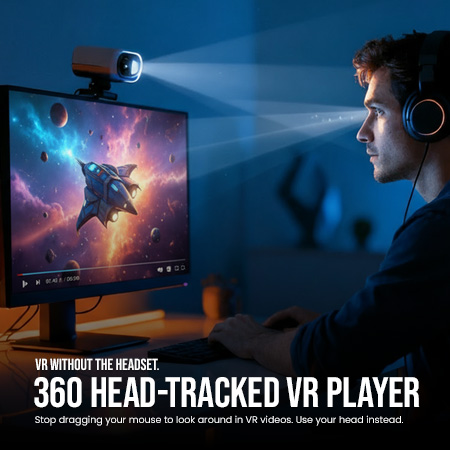
VR Head-Tracked Player: VR Without the Headset.
Stop dragging your mouse to look around in VR videos. Use your head instead.
Tired of the clunky, non-immersive experience of clicking and dragging your mouse? Or have you downloaded a 180°/360° VR video only to find it looks like a bizarre, split-screen mess in your regular player? It breaks the magic and feels more like work than entertainment.
We created the VR Head-Tracked Player to fix this. It’s a simple, lightweight Windows application that does two things perfectly:
- It intelligently fixes and displays Side-by-Side (3D) VR videos as a single, seamless, immersive view.
- It connects to the free OpenTrack software, turning your standard webcam into an immersive VR controller. Now you can naturally and intuitively look around your videos just by moving your head.
Features:
- Fixes Split-Screen VR Videos: Automatically detects and renders Side-by-Side (SBS) and Top-Bottom 3D videos into the single, explorable sphere they were meant to be.
- Smart Format Detection: Automatically identifies and adjusts for 360°, 180°, 190°, and 200° Fisheye videos. No manual tweaking required.
- True Head-Tracked Immersion: Experience fluid, hands-free camera control. Look left, and the camera pans left. Look up, and it tilts up.
- Playback Controls: Includes Zoom (via mouse wheel or slider) and Playback Speed (0.5x – 2.0x) controls for detailed viewing.
- VR Without the Headset: Get the immersive feeling of VR without needing expensive, cumbersome hardware.
- Plays Your Local Video Files: Designed for high-quality playback of your downloaded VR video files.
System Requirements
- OS: Windows 10 / 11
- Software: OpenTrack (Free – Link provided in guide)
How It Works (Instant 3-Step Setup)
Getting started is simple. Please note: You will need to download your VR videos to your computer first.
- Install OpenTrack: You’ll need the free head-tracking software OpenTrack.
- Load Our Custom Profile: We include a VR Video.ini file. Simply copy it to your OpenTrack folder to instantly configure all settings (Camera, Output, and Sensitivity) perfectly. No manual tuning needed!
- Launch & Play: Start the VR Head-Tracked Player, open your video file, and enjoy the show!
What You Get:
- The VR Head-Tracked Player Setup.exe installer for Windows.
- The 360 Video.ini instant-configuration profile for OpenTrack.
- A comprehensive User Guide, accessible anytime from the in-app “Help” menu.
If you’ve ever wanted to properly watch your downloaded VR videos on your desktop, this is the tool for you. Click “Add to Cart” to get started.
For more details please visit the official website: Visit HeadTrackVr.com